
Click a comic to read it.
Inline paths
Origami is a dialect of JavaScript expressions with inline paths instead of import statements.
// Standard JS
import greet from "./greet.js";

export default {
  "greeting.html": greet("world"),
};
// Origami dialect of JavaScript expressions
{
  greeting.html: greet.js("world")
}
The greet.js gets the file’s default export.
Find broken links
As you evolve your site, you might end up with broken links!
Blog feeds
Site generators create blog feeds via plugins that are often magic and hard to configure.
{
  "title": "Alice's Cool Blog",
  "author": "Alice Andrews",
  "url": "https://alicescoolblog.com",
  "plugins": [
    "blog-feed-plugin": {
      "itemsPerPage": 10,
      "includeImages": true,
      "customFields": [
        "readingTime",
        "tags"
      ],
      "dontIncludeDrafts": true,
      "sortBy": "date",
      "sortOrder": "descending",
      "outputFormats": [
        "rss",
        "jsonFeed"
      ],
      "undisableFunctionality": false,
      "plugins-for-feed-plugin": {
        "fancy-date-plugin": {
          "dateFormat": "MMMM D, YYYY",
          "locale": "en-US",
          "isoDates": false
        }
      }
    }
  ],
}
Configuration sounds easy but becomes an awkward form of coding.
Full-text search
Easily add full-text search to your Origami static site with pagefind!
See pagefind.app
Template documents
An Origami template document is a text file with embedded JavaScript, like a big template literal.
<h3>Products</h3>
<p>
Current product list as of ${
new Date("2026-01-01 12:00").toLocaleDateString("en-US", { month: "long", day: "numeric" })
}:
</p>
Products
Current product list as of January 1:
Include a folder
The most basic way to include a folder in your Origami site definition is with a path.
{
  // Expose everything in the src/assets folder as the `/stuff` route
  stuff: src/assets
}
$ ls src/assets
favicon.ico     main.css
$ ori Tree.paths site.ori
- stuff/favicon.ico
- stuff/main.css
$
Tree.paths lists all routes in the site.
Serve a site
While developing your static site, you can serve it locally with the Origami server.
{
  about: {
    index.html: "<h2>About us</h2>"
  },
  index.html: "<h2>Our site</h2>"
}
About us
Transform content
If you have an idea to share, face-to-face conversation is a very direct way to do it.
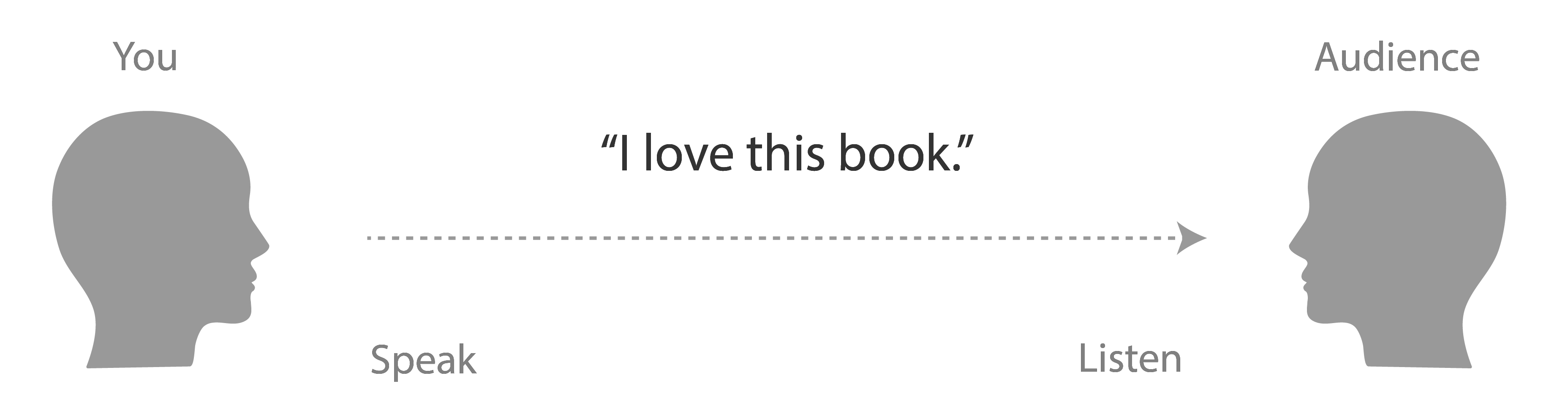
Maps transform bulk content
To transform bulk content and data into a presentable form for your site, use a map!
**Hey everyone!**
Welcome to my very first blog post from my new home in the woods!
Markdown is easy to edit, but your site needs HTML.
What are slugs
A slug is a URL portion that identifies a page with human-readable keywords.
Happy New Year!
Incidentally, this page’s slug is happy-new-year. If you share this URL with someone, they’ll have some idea what the page is about. (It also helps you remember what you wrote!) The words in the URL are also given some weight by search engines.
The term comes from newspapers and typesetting.
Coding in your terminal
The ori command line tool evaluates JavaScript expressions, calling functions by file name.
// Return population statistics for the given array of areas
export default function popStats(areas) {
  const populations = areas.map((area) => area.population);
  const total = populations.reduce((sum, pop) => sum + pop, 0);
  return {
    min: Math.min(...populations),
    max: Math.max(...populations),
    total,
  };
}
$ ori popStats.js [{ population: 1000 }, { population: 2000 }]
min: 1000
max: 2000
total: 3000
$
Parens in calls can often be omitted.
File extensions
The Origami dialect of JavaScript can associate a file extension with a function that unpacks that kind of file.
kiki:
  title: Kiki's Delivery Service
  year: 1989
mononoke:
  title: Princess Mononoke
  year: 1997
spirited:
  title: Spirited Away
  year: 2001
heron:
  title: The Boy and the Heron
  year: 2023
$ ori movies.yaml/spirited/title
Spirited Away
$
Deferring work
When you define pages in your Origami site using a colon, that work happens when the site loads.
{
  // Use log statements so we can see when work happens.
  // Both pages will get evaluated even if only one is requested.
  page1.html: Dev.log("Page 1", "Creating page 1")
  page2.html: Dev.log("Page 2", "Creating page 2")
}
$ ori site.ori/page1.html
Creating page 1
Creating page 2
Page 1
$
The HTML for these comics is generated from a script with dialogue using Origami itself.